Check the result
1. Read the final DDL
In the cliente table, open the DDL sub-tab. This is the table as it is in the database.
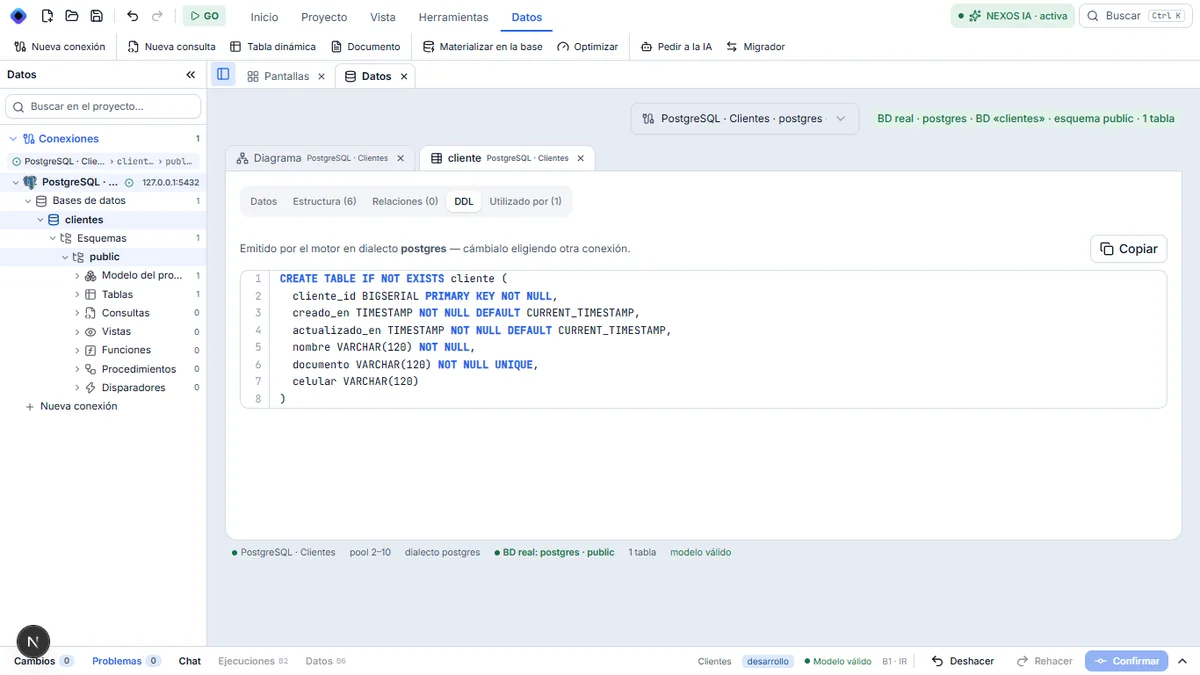
You should see:
| Column | Type | Rule |
|---|---|---|
cliente_id | number that numbers itself | key |
creado_en, actualizado_en | date and time | filled in on their own |
nombre | text (120) | required |
documento | text (120) | required and unique |
celular | text (120) | optional |
2. The same check in pgAdmin
Outside NEXOS: in pgAdmin, database clientes → Schemas → public → Tables → cliente.
Start the tutorial again
To start over, delete the clientes database in pgAdmin (right-click → Delete) and create another project. The NEXOS project folder can stay, or be deleted.
If a check does not match, see if something goes wrong.