Remove a field
Goal: remove email and see that NEXOS does not delete data without permission.
1. Remove the column from the model
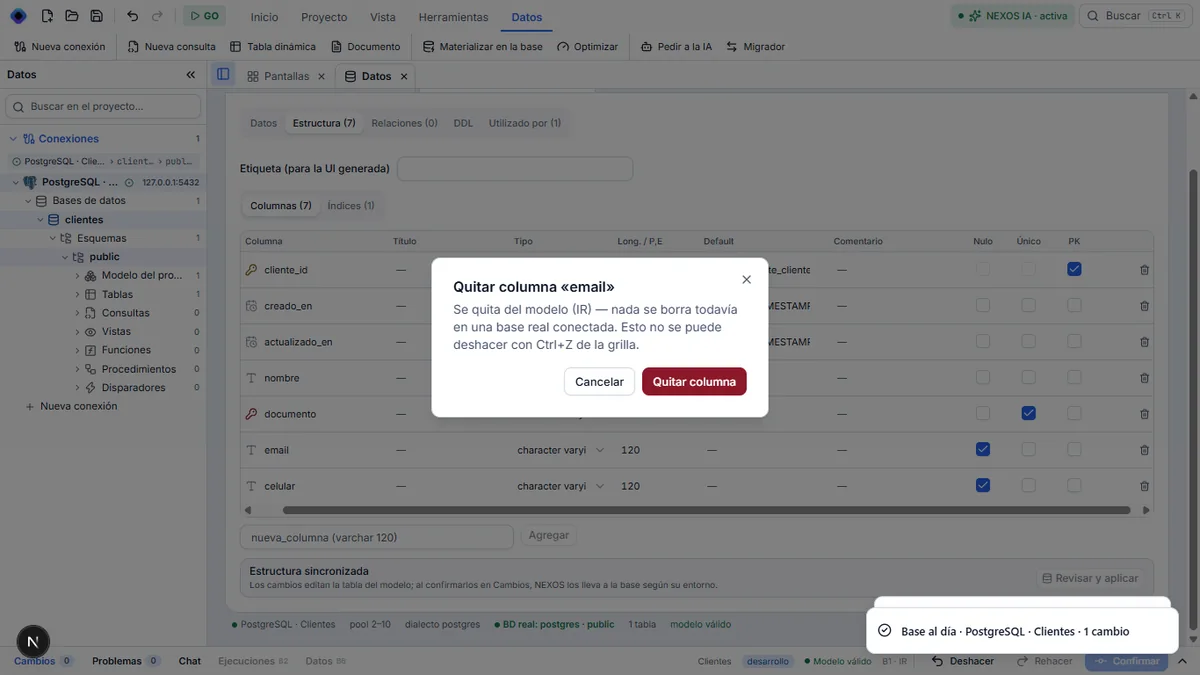
In Estructura, click the trash icon on the email row and confirm Quitar columna. This removes the column from the model. The database is not touched yet.
2. NEXOS asks before deleting
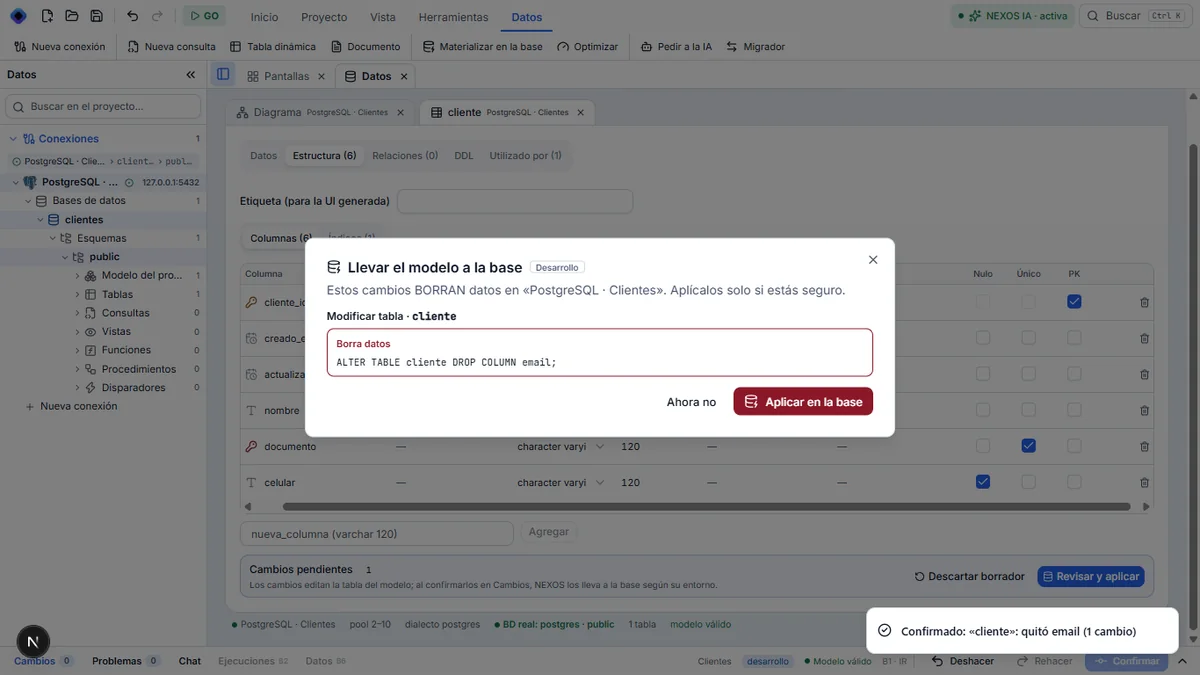
Click Confirmar, then Confirmar · 1. Instead of applying the change, NEXOS displays Llevar el modelo a la base in red: « Estos cambios BORRAN datos », with the exact SQL (DROP COLUMN email).
3. Refuse for now
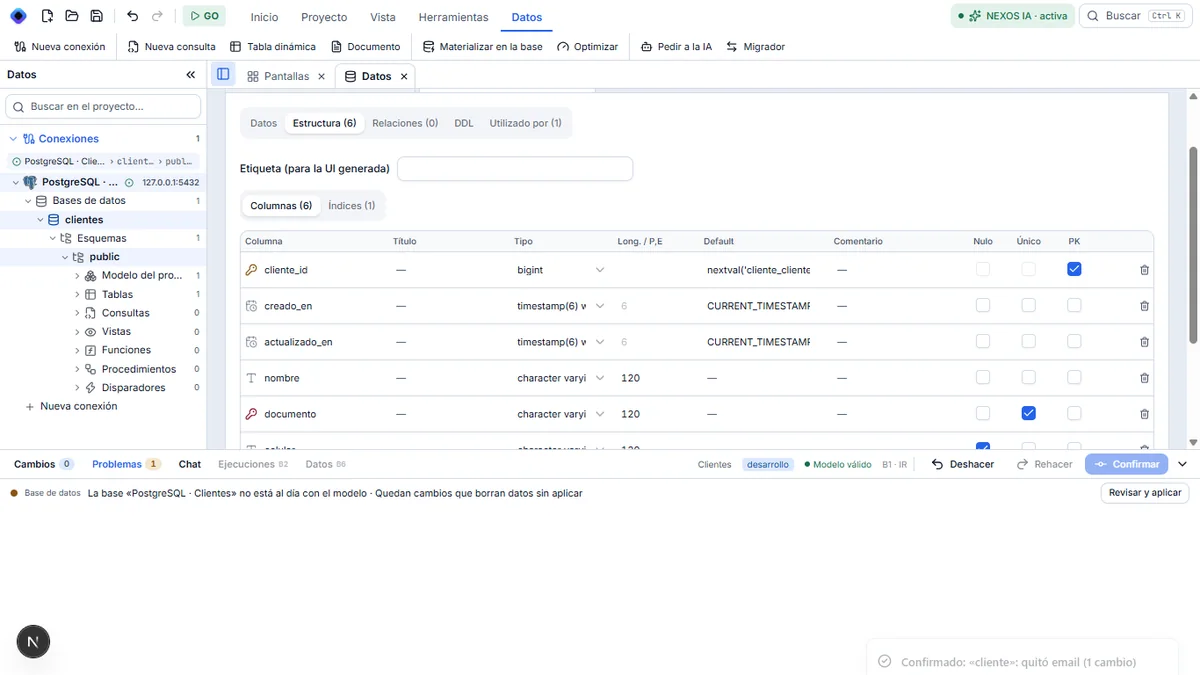
Click Ahora no. The column and its data stay in the database.
At the bottom, Problemas marks 1: « La base … no está al día con el modelo · Quedan cambios que borran datos sin aplicar », with the Revisar y aplicar button.
4. Apply it by saying so a second time
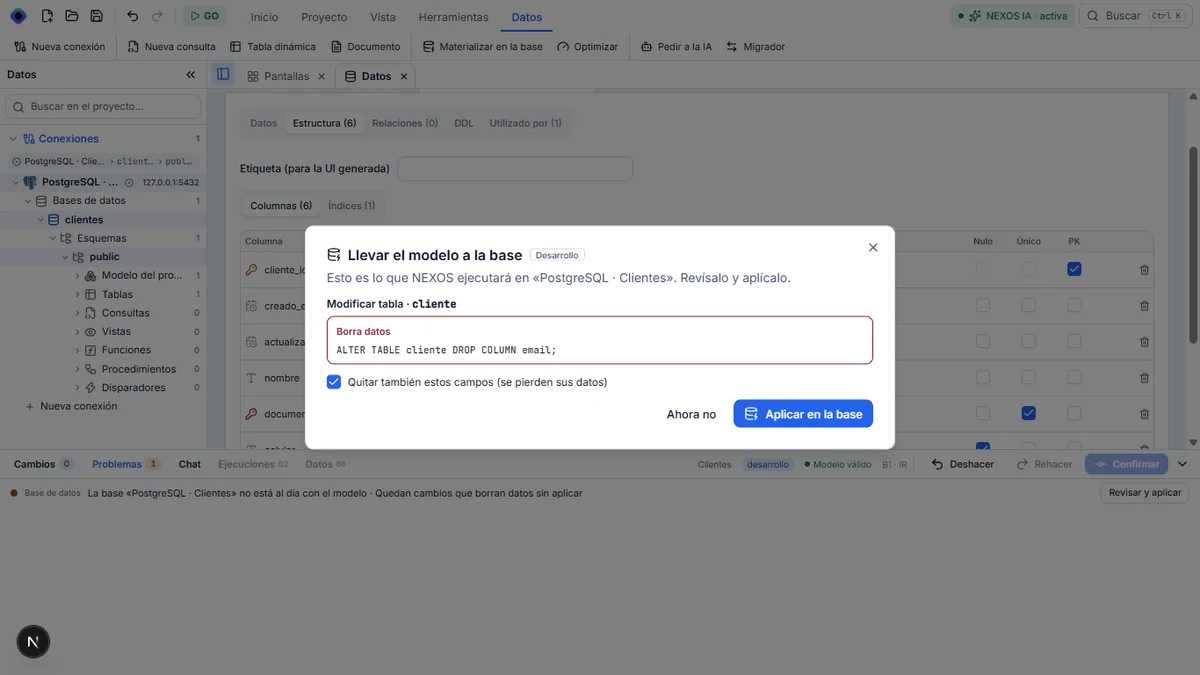
Click Revisar y aplicar. The Aplicar en la base button stays disabled until the box « Quitar también estos campos (se pierden sus datos) » is checked. Check it, then click Aplicar en la base.
Result
« Base al día » is displayed, Problemas returns to 0, and the email column is no longer in the database. Deleting data required saying so twice.
Next step: check the result.