Open the database
Goal: see the clientes database in Datos. That database alone, empty, ready for the first table.
1. Open the explorer
If you only see a column of icons on the left, click » at the top left to open the Explorador de proyectos. Under Conexiones is PostgreSQL · Clientes.
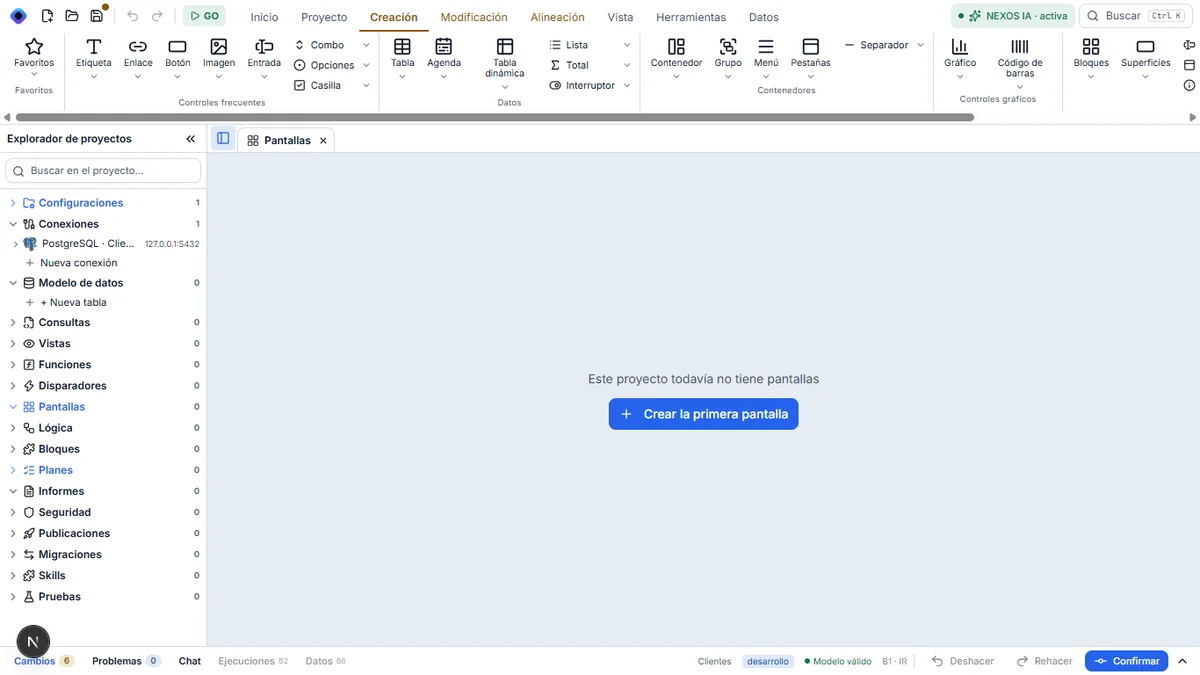
2. Expand the connection
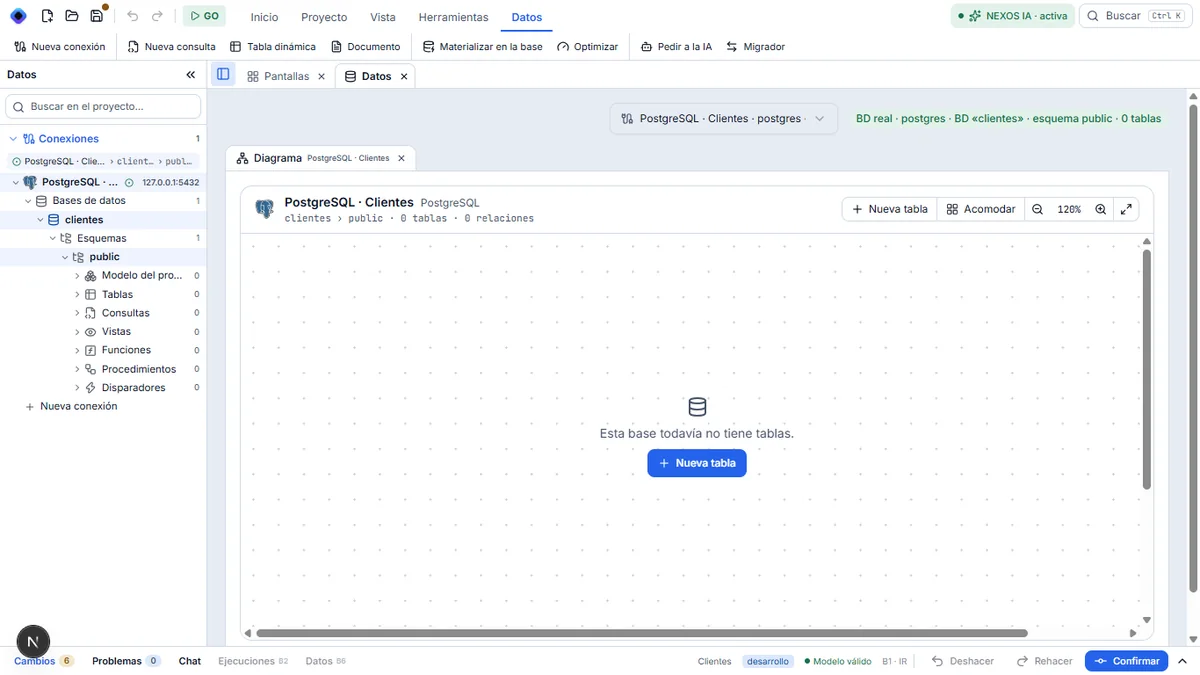
Click the small arrow to the left of PostgreSQL · Clientes. The Studio switches to Datos and opens the connection. At the top right, in green: « BD real · postgres · BD «clientes» · esquema public · 0 tablas ».
3. Go down to the public schema
In the tree, if the folders are not visible, open them with their arrows: Bases de datos › clientes › Esquemas › public. Under Bases de datos, only clientes appears: the server's other databases are not shown.
On the right, the empty Diagrama opens, with « Esta base todavía no tiene tablas » and the + Nueva tabla button.
Result
You are in your clientes database, still without a table. No query has opened: there is nothing to query yet.
If the explorer stays on « Conectando… », see the connection that does not complete.
Next step: create the cliente table.