The fields
Goal: add nombre (required), documento (required and unique), email, and telefono, before creating the table in the database.
1. Add the four names
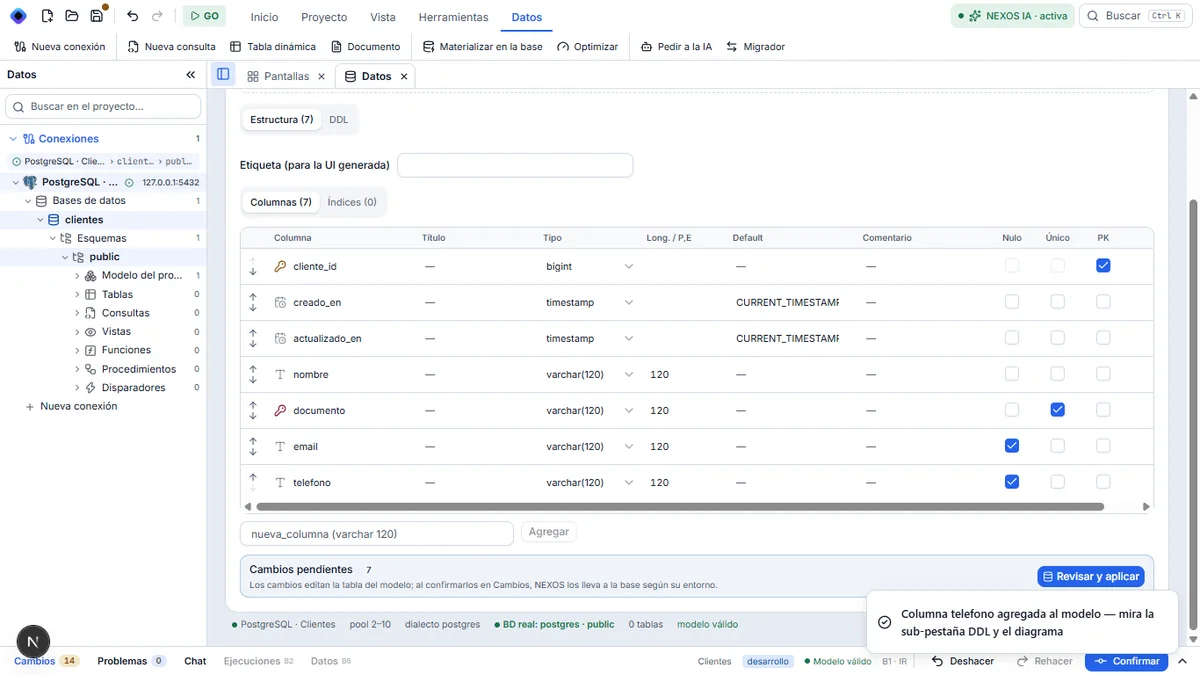
In the nueva_columna box (varchar 120), type nombre and press Enter. Repeat with documento, email, and telefono.
The box is followed by the Agregar button. The path uses Enter.
2. Make two fields required
On the nombre row, clear the Nulo check: the field becomes required. On the documento row, clear Nulo and check Único: two identical documents will not be allowed. At the bottom, « Cambios pendientes » counts what still has to be sent to the database.
3. Read the SQL, if you want
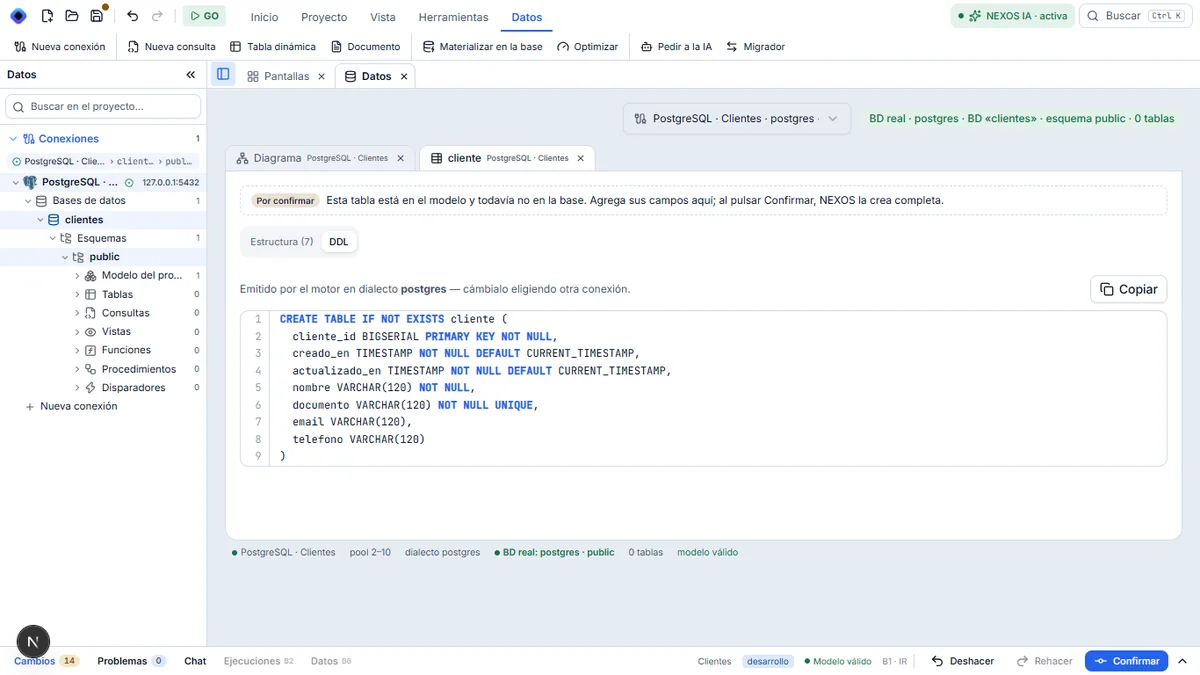
This step is optional. Click the DDL sub-tab: this is the exact CREATE TABLE that NEXOS will run at confirmation. You can copy it.
Result
The table is drawn in full in the model. The database still has not been touched.
Next step: confirm the table.