The table in the diagram
Goal: see the new table in the database diagram, and open it from there.
1. Show the diagram
Click the Diagrama tab. The cliente table is already there, with a dotted border and the mark « Por confirmar ». At the top: « 1 tabla (1 por confirmar) ».
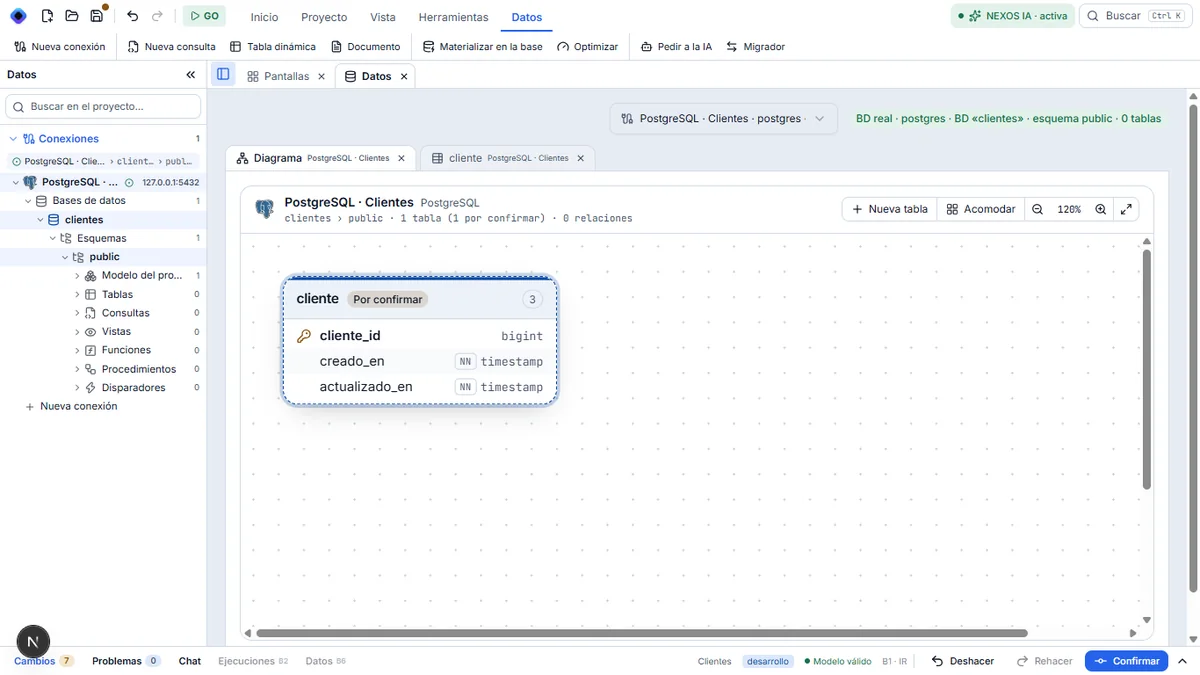
2. Reopen the structure
Right-click the table and choose Editar estructura. Double-clicking the table does the same thing. Its structure reopens, ready to receive fields.
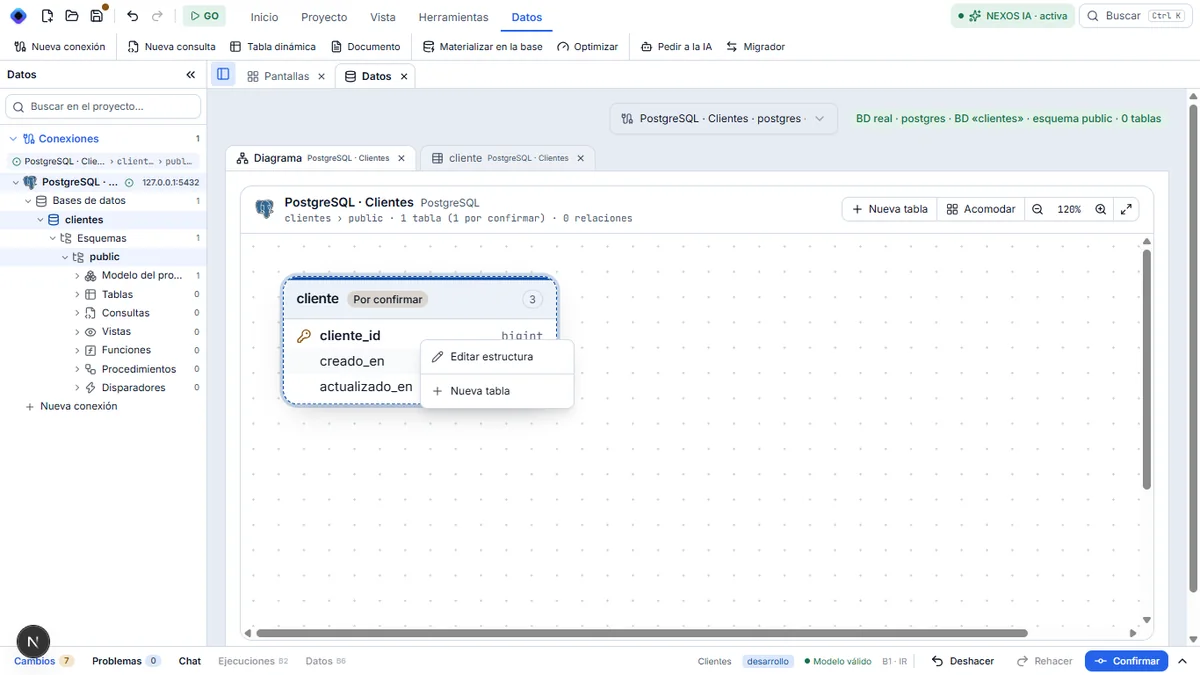
Result
From the diagram, you can create tables (+ Nueva tabla) and edit them (right-click or double-click), even if they are not in the database yet.
Next step: the fields.