Create the project and its database
Goal: a new project, in its folder, with a clientes database created by NEXOS in your PostgreSQL and already connected.
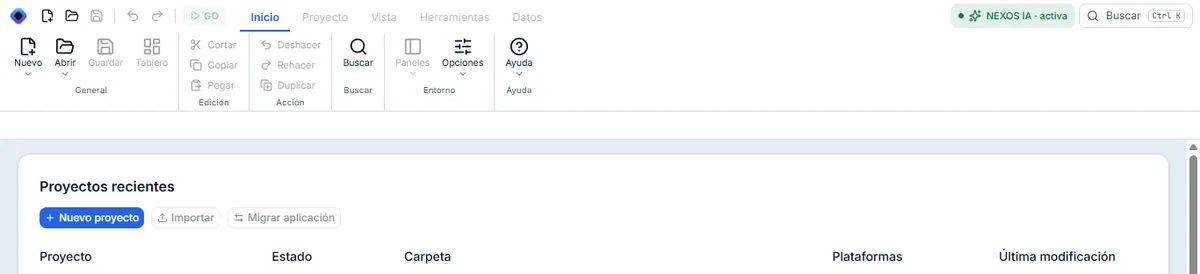
1. Open the wizard
In Inicio, click Nuevo proyecto. The blue button and the one in the top bar open the same wizard.
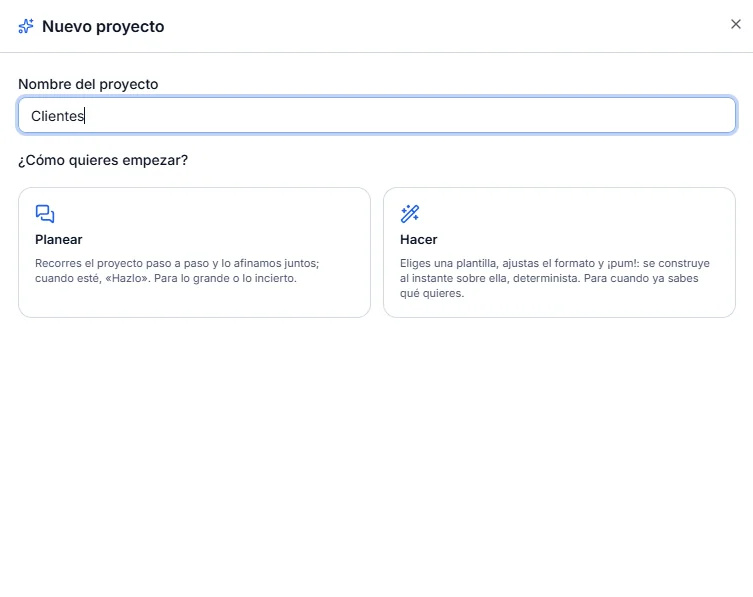
2. Name the project
Type the name Clientes. Click Hacer.
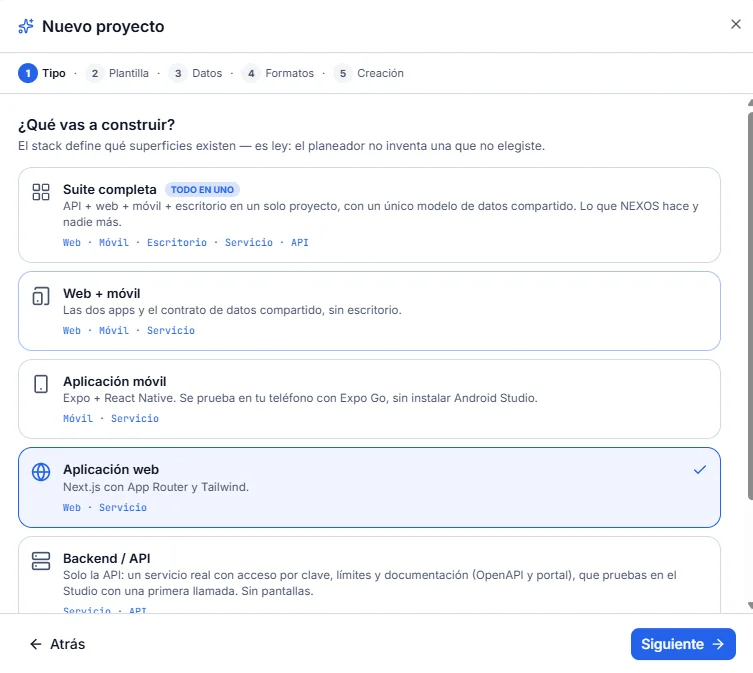
3. Leave the type as Web application
At the Tipo step, leave Aplicación web: it is already marked. Click Siguiente.
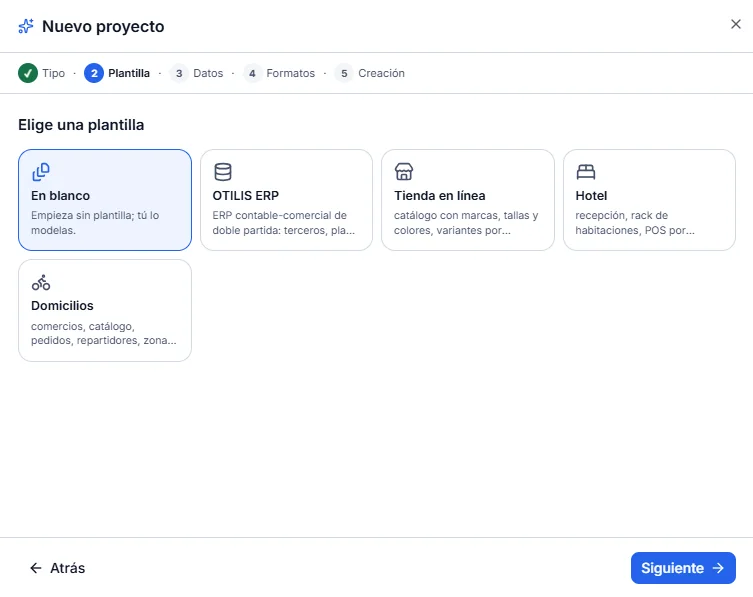
4. Leave the template empty
At the Plantilla step, leave En blanco. Click Siguiente.
5. Connect the database
At the Datos step, « Base nueva en un servidor » is already marked. Click Conectar la base.
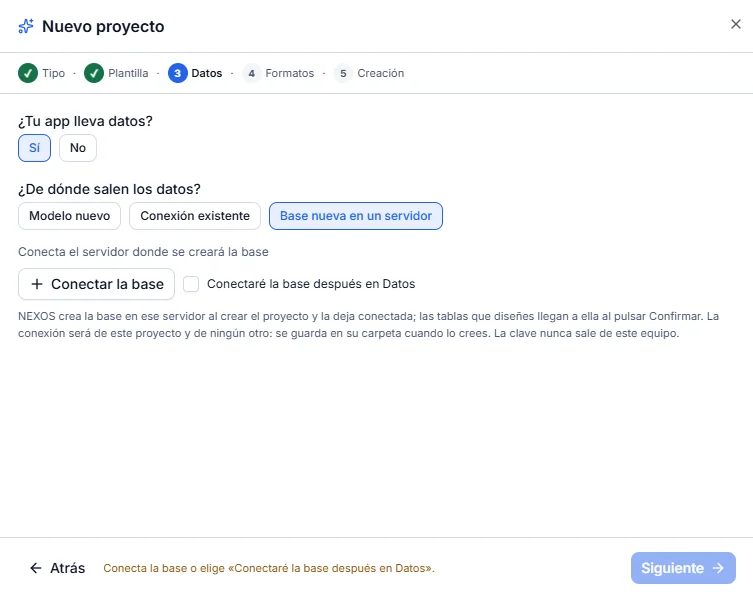
6. Fill in the connection
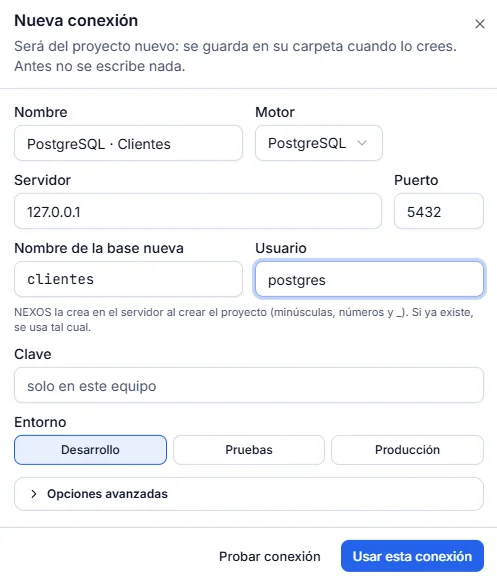
Nueva conexión opens. The new database name is already clientes (it comes from the project name) and the engine is PostgreSQL. Type only this:
| Field | What to type |
|---|---|
| Servidor | 127.0.0.1 |
| Puerto | 5432 (already filled in) |
| Usuario | postgres |
| Clave | The password of your postgres user, or empty if your PostgreSQL does not ask for one |
| Entorno | Leave Desarrollo |
While Clave is empty, the screen shows the hint « solo en este equipo ». That is not a password to type.
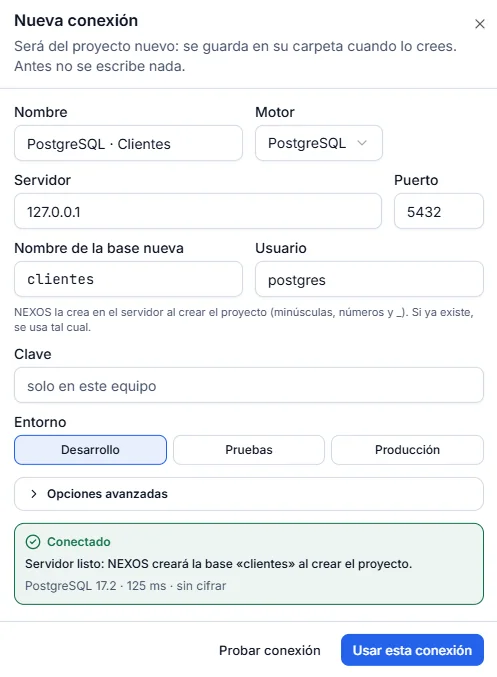
7. Test the connection
Click Probar conexión. The green message must appear: « Servidor listo: NEXOS creará la base «clientes» al crear el proyecto ».
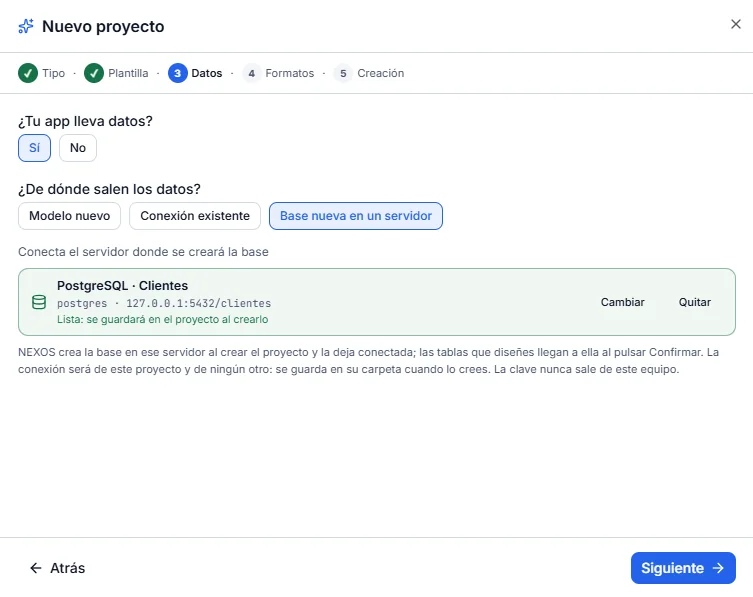
8. Use this connection
Click Usar esta conexión. At the Datos step, the green PostgreSQL · Clientes card appears, with 127.0.0.1:5432/clientes and « Lista: se guardará en el proyecto al crearlo ». Click Siguiente.
9. Leave the formats
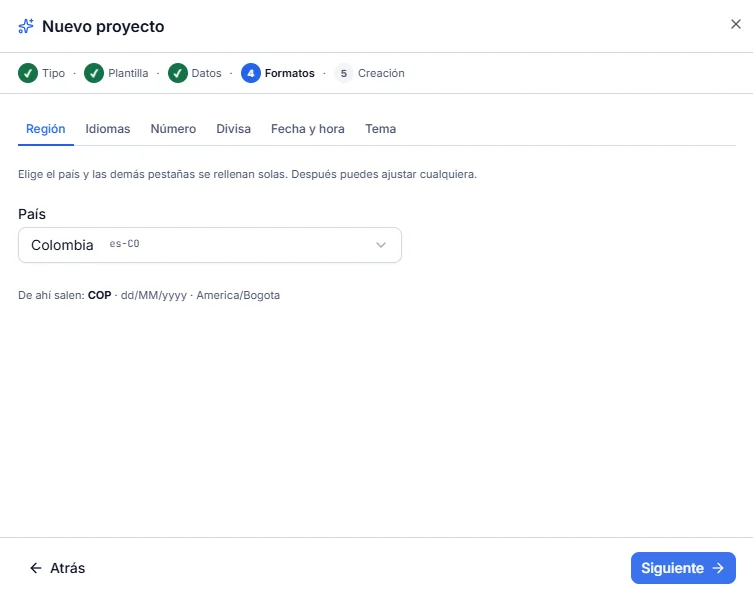
At the Formatos step, leave what is already displayed: Colombia, COP, dd/MM/yyyy, and the time zone that comes with that region. Click Siguiente.
10. Choose the folder
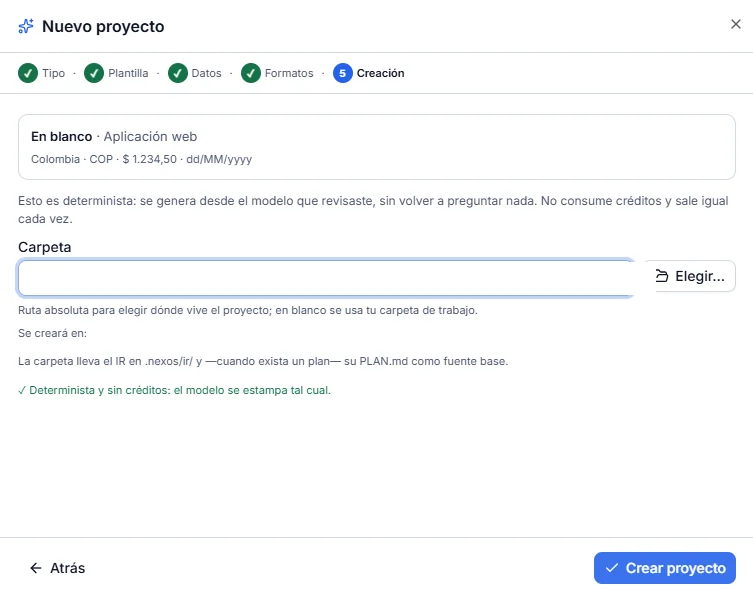
At the Creación step, enter the project folder, for example E:\DEMO_NEXOS\clientes. Any empty folder, or one that does not exist yet, is suitable. Below, « Se creará en: … » confirms the path. Click Crear proyecto.
11. The project opens
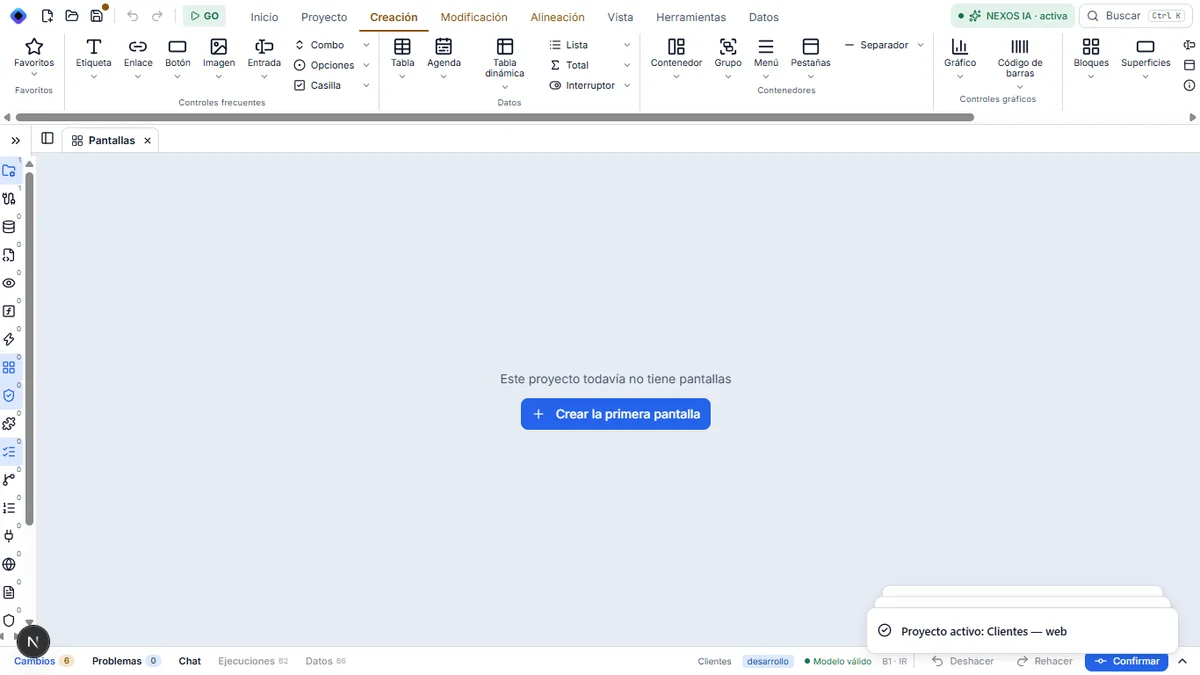
The notice « Base creada en el servidor: clientes » is displayed, and the project opens in Pantallas.
Result
Your PostgreSQL has a new clientes database, created by NEXOS, with no access for other users (only its owner has access). The project has already connected it. The original path verified this in PostgreSQL.
If something goes wrong
- « Usuario o contraseña incorrectos » at test time: check the
postgrespassword. It is case-sensitive. Detail. - « Tu usuario no puede crear bases en ese servidor »: this user is not allowed to create databases. Use
postgres, or request theCREATEDBright. Detail. - « La base «clientes» ya existe en el servidor: el proyecto la usará tal cual »: a database already had this name. To follow the screenshots, change the name of the new database (for example
clientes_prueba) or delete the old one in pgAdmin. Detail. - « No se llega al servidor »: PostgreSQL is stopped. Start it (Windows Services, service
postgresql-x64-…, Iniciar). Detail.
Next step: open the database.